Podcast tool comparisons
Plain comparisons of Audio Audit with the tools podcasters already use. Each one says where the other tool is the better choice and where Audio Audit checks what it can’t.
Automatic cleanup and mastering
- Auphonic vs. Audio Audit
Suits anyone who wants a finished episode polished automatically: levelling, noise and reverb reduction, filler and silence cutting. Audio Audit adds the metadata, cover art and file checks Auphonic does not run, and now fixes what it finds too.
- Adobe Podcast Enhance vs. Audio Audit
Suits a recording that sounds bad: a free, one-click filter for room noise and echo, with background music removal on Premium. Audio Audit comes after it, normalising to -16 LUFS, writing tags and cover art, and checking the file against what directories expect.
- Cleanvoice vs. Audio Audit
Suits recordings full of ums, stutters, breaths and long pauses, including shows in German, Portuguese or Polish. Audio Audit checks the cleaned file afterwards for loudness, tags and artwork, then keeps watching your feed.
- Buzzsprout Magic Mastering vs. Audio Audit
Suits Buzzsprout hosts who want every upload levelled, de-noised and stripped of filler words without thinking about it. Audio Audit reports the loudness figure mastering never shows, checks artwork and tags, and monitors the feed Buzzsprout serves.
- Resound vs. Audio Audit
Suits editors stuck on ums and dead air: it finds each one, shows it to you, and you decide what to cut. Audio Audit reports loudness, runs checks an editor does not, and monitors your feed after you publish.
All-in-one podcast makers
- Alitu vs. Audio Audit
Suits beginners who want recording, editing, hosting and a website in one tool. Audio Audit checks the finished file Alitu produces, fixes specific problems, lets you pick your own loudness target and keep stereo, and monitors the feed.
- Descript vs. Audio Audit
Suits anyone cutting audio or video by editing the transcript. Audio Audit does not compete with that. Run the exported file through it before you publish, and check the feed again once your host has processed the episode.
- Async (formerly Podcastle) vs. Audio Audit
Suits shows that want recording, transcript editing and free hosting in one browser tab. Audio Audit reports loudness, true peak, noise floor, tags and artwork, and monitors the feed your Async-hosted show serves.
Remote recording studios
- Riverside vs. Audio Audit
Suits remote recording with uncompressed local guest tracks, transcript editing and social clips. Audio Audit checks the exported file against a loudness target you choose, writes the tags and artwork Riverside does not, and monitors your feed.
- Zencastr vs. Audio Audit
Suits recording remote guests on separate local tracks with an AI producer, and now has a free tier covering most of the product. Audio Audit reports the loudness figure the producer never shows, and monitors the feed your host serves.
Audio editors and DAWs
- Audacity vs. Audio Audit
Suits anyone editing on a zero budget with a free, open-source editor. Audio Audit shows the loudness figure Audacity never displays, restores artwork and tags an export dropped, and checks every episode after you publish.
- GarageBand vs. Audio Audit
Suits Mac, iPhone and iPad users who want a free app that is already installed. It is a music app that podcasters borrow. Audio Audit measures loudness, writes artwork and tags, and flags coughs and restarts in the export.
- Adobe Audition vs. Audio Audit
Suits professionals who want a deep restoration and measurement toolbox, especially with Creative Cloud already paid for. Audio Audit puts the whole audit in one report, adds content checks, and watches your feed after your host has processed the file.
- Hindenburg PRO vs. Audio Audit
Suits spoken-word producers who want an editor built around broadcast loudness, with levelling on import and compliant exports. Audio Audit gives an independent check on the finished file from any tool, and monitors the feed.
- Logic Pro vs. Audio Audit
Suits Mac podcasters who want full mixing and mastering control and a built-in loudness meter. Audio Audit applies podcast rules to the bounce: -16 LUFS, true peak, noise floor, artwork and tags. It also runs on Windows.
- Reaper vs. Audio Audit
Suits people who like building their own workbench: a full DAW with an honour-system licence. Audio Audit does the audit without the rigging, with every measurement in one report, content detection, verified fixes and feed monitoring.
- Pro Tools vs. Audio Audit
Suits professional editors and anyone handing sessions to them. Audio Audit checks the bounce for loudness, noise, metadata and content problems, and adds the artwork, tags and chapters the bounce cannot write. Most shows will want both.
- iZotope RX vs. Audio Audit
Suits damaged recordings that need spectral repair, from clicks and hum to reverb. Audio Audit is the routine check-up: run the report first to see whether an episode needs only normalisation and tags, or a trip to RX.
Feed validators and meters
- Podcast RSS feed validators vs. Audio Audit
Suits a show a directory has rejected or whose episodes stopped appearing. Castos, Cast Feed Validator, Podbase and Beamly check your feed’s XML. Audio Audit monitors the audio files that markup points at, every episode.
- Free LUFS meters compared
Suits a quick loudness reading mid-production: Youlean, lufs.org, Podtools, Sound & Go and ffmpeg each give one number. Audio Audit checks the finished file for that plus noise floor, bit rate and metadata, and monitors your feed.
Whilst you’re here…
Audio Audit is an automatic benchmarking and proofing tool which checks the quality of your podcast MP3 files, giving you peace of mind before you publish.
It checks things like loudness, silences, restarted sentences, encoding, swearing and metadata.
See what the podcast checker covers ⇢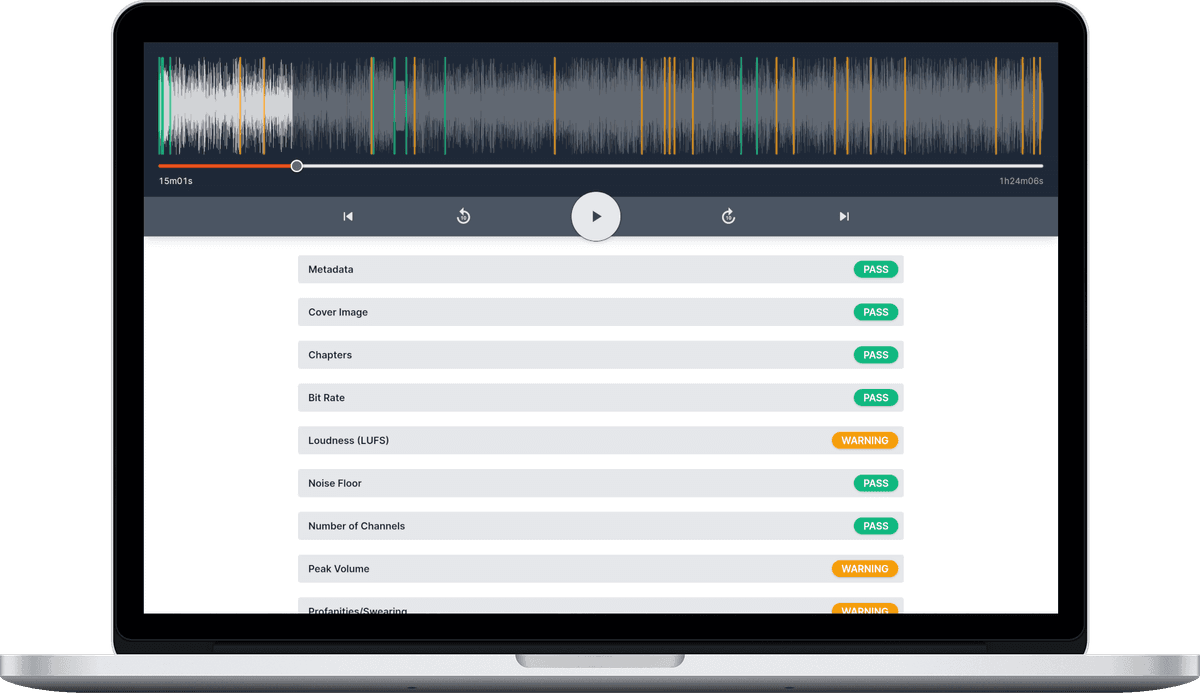
Sign up
Creating an account takes less than a minute. You start on the free plan — about an hour of audio a month, no credit card needed — and go straight to your dashboard to upload audio or connect your podcast’s feed.