Pro Tools vs. Audio Audit (comparison)
 Damian Moore, Last updated: 8 November 2026
Pro Tools is the DAW that radio stations, post-production houses and a lot of professional podcast editors already know. If you’ve sent a show to a paid editor, there’s a fair chance it was cut in Pro Tools. Avid’s software runs on Mac and Windows, comes in four tiers from a free Intro version up to Ultimate, and since 2025 it can transcribe speech on your own computer. It was built for music and post-production first, and podcasting borrows it.
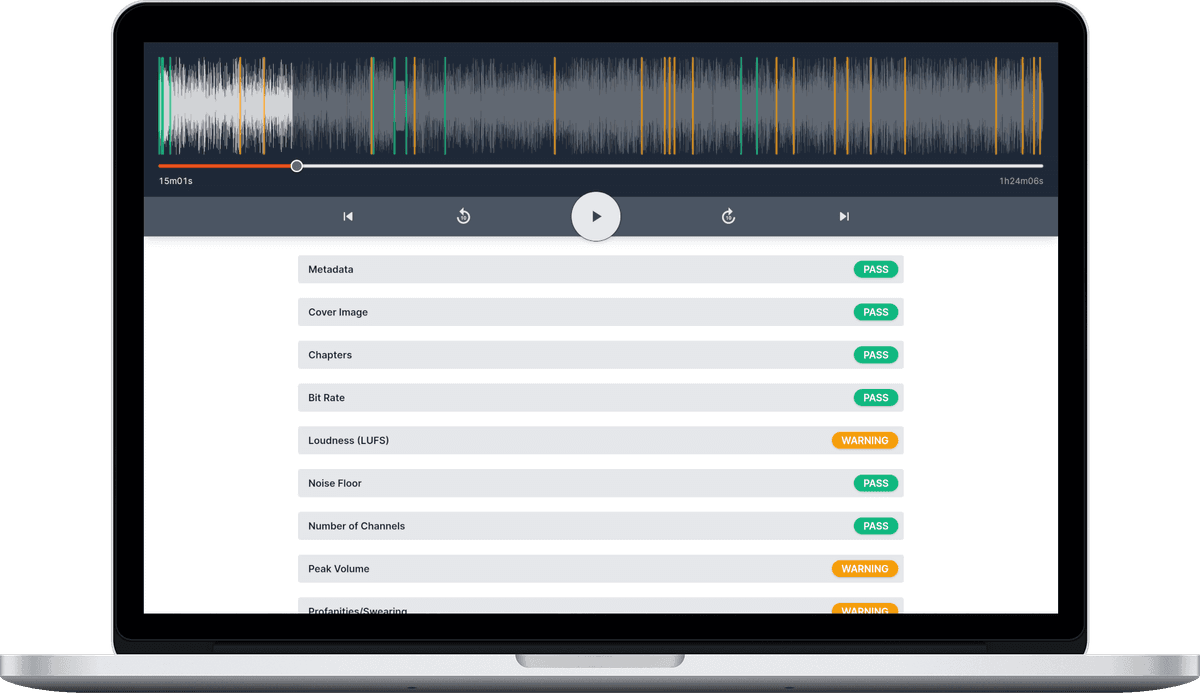
Audio Audit starts from the other end. It reads the finished episode and measures whether it’s fit to publish: loudness against a podcast target, true peak, noise floor, bit rate, metadata, artwork, and content problems such as swearing and restarted sentences, each with a timestamp. It fixes what fails with Enhancements (noise reduction, speech levelling, loudness normalisation, metadata and chapters) and keeps checking your feed after you publish.
Audio Audit doesn’t edit your episode at all, so most of this page is about what Pro Tools leaves you to check by hand once the bounce is done.
This page was last fact-checked against Avid’s documentation and release notes in November 2026.
Comparison Overview
File and Metadata Checks
| Feature | Pro Tools | Audio Audit |
|---|---|---|
| Metadata checking | ❌ No | ✅ Yes |
| Cover art checking | ❌ No, there’s nowhere to attach artwork | ✅ Yes |
| Chapter checking | ❌ No, session markers aren’t podcast chapters | ✅ Yes |
| Bit-rate checking | ❌ No, you pick a bounce setting rather than check a file | ✅ Yes |
| Sample-rate checking | ❌ No | ✅ Yes |
| Sample-width checking | ❌ No | ✅ Yes |
| Channel count checking (stereo/mono) | ❌ No | ✅ Yes |
Analysis and Detection
| Feature | Pro Tools | Audio Audit |
|---|---|---|
| LUFS/loudness checking | ✅ Partly, through Avid’s Pro Limiter plug-in or a third-party meter; the channel meters have no LUFS option | ✅ Yes |
| Peak volume checking | ✅ Partly: peak meters on every channel, true peak only in Pro Limiter or a third-party meter | ✅ Yes |
| Noise floor checking | ❌ No | ✅ Yes |
| Unwanted noise detection (coughs, knocks, pets, etc.) | ❌ No | ✅ Yes, dozens of noise types |
| Filler word detection (uhm, ahh, etc.) | ❌ No, though you can spot them in the transcript | ❌ No |
| Long silence detection | ❌ No, Strip Silence removes quiet passages rather than flagging them | ✅ Yes |
| Restarted sentence detection | ❌ No | ✅ Yes |
| Swearing detection | ❌ No, you can only search the transcript for words you think of | ✅ Yes |
| Automatic transcriptions | ✅ Yes, Studio and Ultimate only, run on your computer | ✅ Yes, with speaker names you can set |
Enhancement and Editing
| Feature | Pro Tools | Audio Audit |
|---|---|---|
| Audio file modification | ✅ Yes | ✅ Yes (Enhancements) |
| One-pass enhancement of a finished episode | ❌ No, you build the chain yourself | ✅ Yes, measured processing with no generative AI |
| Noise reduction | ❌ No dedicated tool in the box; gates and expanders only | ✅ Yes, profile measured from your recording |
| Speech levelling (compression) | ✅ Yes, a full professional dynamics suite | ✅ Yes |
| Loudness normalisation (LUFS targets) | ❌ No, you set the level by ear against a meter | ✅ Yes, presets for podcasts, YouTube and ACX |
| Metadata & cover art writing | ❌ No artwork or chapters | ✅ Yes, without re-encoding audio |
| Automatic filler word removal | ❌ No | ❌ No |
| Automatic silence removal | ✅ Yes, via Strip Silence | ✅ Partly: the ACX preset trims pauses over 5 seconds |
| Transcript-based editing | ✅ Partly: split clips by word, sentence or speaker from the transcript | ❌ No |
Monitoring and Reporting
| Feature | Pro Tools | Audio Audit |
|---|---|---|
| Automatic reports by email | ❌ No | ✅ Yes |
| RSS feed monitoring | ❌ No | ✅ Yes |
| Scoring over the long-term across shows and team members | ❌ No | ✅ Yes |
Plans and Pricing
| Feature | Pro Tools | Audio Audit |
|---|---|---|
| Free trial | ✅ Yes, 30 days | ✅ Yes |
| Free tier | ✅ Yes, Pro Tools Intro (8 audio tracks, no transcription) | ✅ Yes, free credits every month |
| Pricing model | Subscription from $9.99/month (Artist), or a perpetual licence for Studio and Ultimate; Mac and Windows | Pay-as-you-go credits or subscription; see /pricing |
| One-off credit top-ups (no subscription needed) | ✅ In spirit: Studio and Ultimate can still be bought outright | ✅ Yes, credit packs valid 12 months |
The Editor’s Chair
Pro Tools earns its place in podcasting through editing. Clip gain, playlists, fades and keyboard-driven trimming are fast once your hands know them, and when a show moves between editors, mixers and producers, a Pro Tools session is the format most of them can open. The dynamics tools are deep, routing is flexible, and AudioSuite lets you render processing onto a single clip without touching the rest of the track.
The biggest change for podcasters arrived in 2025. Pro Tools 2025.6 added Speech to Text, a separately installed model that transcribes on your own machine with no upload, in 21 languages according to Avid. Multiple voices come out as separate lines in the Transcript window, and you can search for a word and jump to it. Version 2025.10 added word editing and the option to split clips by word, sentence or speaker. Two catches: it’s only available in Studio and Ultimate, and Avid says transcripts don’t show up if the session is opened in Intro or Artist. So an editor on Studio and a producer on Artist won’t see the same session.
The most recent release, 2026.11 (out on 3 November), adds a Stem Separator to every tier. It splits audio into vocals, drums, bass, guitar, keys and “other”, which tells you who it was designed for. It might rescue a guest clip with music under it, but there’s nothing in it for the spoken word as such.
Where Pro Tools stops is detection. The transcript shows you the words, and finding the problems in them is your job. Nothing flags a swear word you didn’t think to search for, a sentence the host started three times, or a 9-second gap after an awkward question. Audio Audit does that part: long silences, restarted sentences, swearing, coughs and knocks, each with a timestamp, along with a list of your own words to flag (a sponsor you dropped, a competitor’s name). Then you go back to Pro Tools and fix them there.
Loudness Without a LUFS Meter
The standard loudness for podcasts is -16 LUFS for stereo, and our customers tell us it’s the number one thing they check their reports for.
Pro Tools’ channel meters offer plenty of scales, but LUFS isn’t one of them, which has surprised reviewers for years. To read integrated loudness you need a plug-in on the master: Avid’s own Pro Limiter, which measures integrated loudness, loudness range and true peak to ITU-R BS.1770 and comes in the Avid Complete Plugin Bundle that ships with Ultimate, or a third-party meter such as Nugen VisLM, Waves WLM or Youlean. One useful trick from the radio world: a meter on the master keeps measuring during an offline bounce, so you can read the whole episode’s integrated figure when the bounce finishes.
Hitting the target is also manual. The Bounce dialog can write MP3, WAV and (on Mac) M4A, but it has no loudness normalisation option, and Avid users have been asking for one on the forums for years. You set your limiter, bounce, read the meter, adjust and bounce again. An experienced engineer does this without thinking. For someone who edits a weekly show alongside a day job, it’s the step most likely to be skipped.
Audio Audit reads the finished file and gives you integrated loudness, true peak and noise floor together. If any of them miss, normalisation offers presets for podcast platforms (-16 LUFS, or -19 for mono), YouTube (-14) and ACX audiobooks, all with true-peak-safe limiting, on the same ITU-R BS.1770 model your meter uses: measure the whole episode, apply one constant gain change, and leave the dynamics you mixed alone. Run the report again and you have the numbers in writing.
After the Bounce
A Pro Tools bounce has no artwork and no chapters, and its bit rate is whatever you picked in the dialog. Once the file is written, Pro Tools has no further interest in it. Nothing checks it against Apple Podcasts’ or Spotify’s requirements, and nothing watches what your host does to it. Hosts re-encode files, and a re-encode can shift your loudness and clip your peaks after your master bus looked fine.
That’s where Audio Audit takes over. The report runs on the finished file, and the fixes for failed checks are ticked for you. If metadata and artwork are the only changes, the audio isn’t re-encoded at all. The chapters editor writes chapter markers into the file, and it can propose them from the transcript if you’d rather not type them. After you publish, the feed monitor checks the file your host actually serves, every episode, with reports by email and scores that build up across episodes, shows and team members. That trend is what a mix engineer working episode by episode can’t hear: whether the show is drifting over a season.
Paying For It
Pro Tools comes in four tiers. Intro is free, with eight audio tracks and no Speech to Text. Artist starts at $9.99 a month or $99 a year, Studio at $34.99 a month or $299 a year, and Ultimate at $99 a month or $599 a year. Studio and Ultimate can also be bought outright through Avid resellers, for around $599 and $1,499, with a year of updates included and a paid upgrade plan after that. There’s a 30-day trial. For podcast work, Studio is the tier to compare, since it’s the cheapest one with transcription. Prices change, so check avid.com before you decide.
Audio Audit runs on credits, with free credits every month, monthly plans if your usage is steady, and one-off top-up packs valid for 12 months if it isn’t. Reports and enhancements draw on the same balance, and you see the estimate before you commit. Current prices are on the pricing page rather than in this article, because comparison pages go stale and pricing pages don’t.
Should You Use Pro Tools or Audio Audit?
If you edit podcasts for a living, or hand sessions to people who do, Pro Tools is a sensible place to work, and Studio’s on-device transcription has made dialogue editing quicker. Add a loudness meter to your master, keep it there for every bounce, and you have what you need to hit a podcast target. Our older Pro Tools tips for podcast audio covers more of the editing side.
If you don’t need multitrack editing (a solo show, an interview recorded on one platform and trimmed lightly), you may not need Pro Tools at all. Audio Audit’s checks and enhancements will tell you whether the file is ready and fix the loudness, noise and metadata, and the free Intro tier or a simpler editor can handle the trims.
Most shows will want both: edit and mix in Pro Tools, bounce, and run the file through Audio Audit before you publish. It confirms the loudness you aimed for, adds the artwork, tags and chapters the bounce dialog can’t write, and finds the restarts and stray swear words you stopped hearing on the fourth pass. Then point the feed monitor at your show and it will check what listeners actually receive, every episode.
Want the full detail on what Audio Audit’s enhancements do? See the Enhancements announcement and the Enhancing Audio guide, or head to the Pricing page to see what a report or an enhancement costs for your episode length. Comparing other editors too? We’ve written the same breakdown for Logic Pro, Reaper, Adobe Audition and Hindenburg PRO.
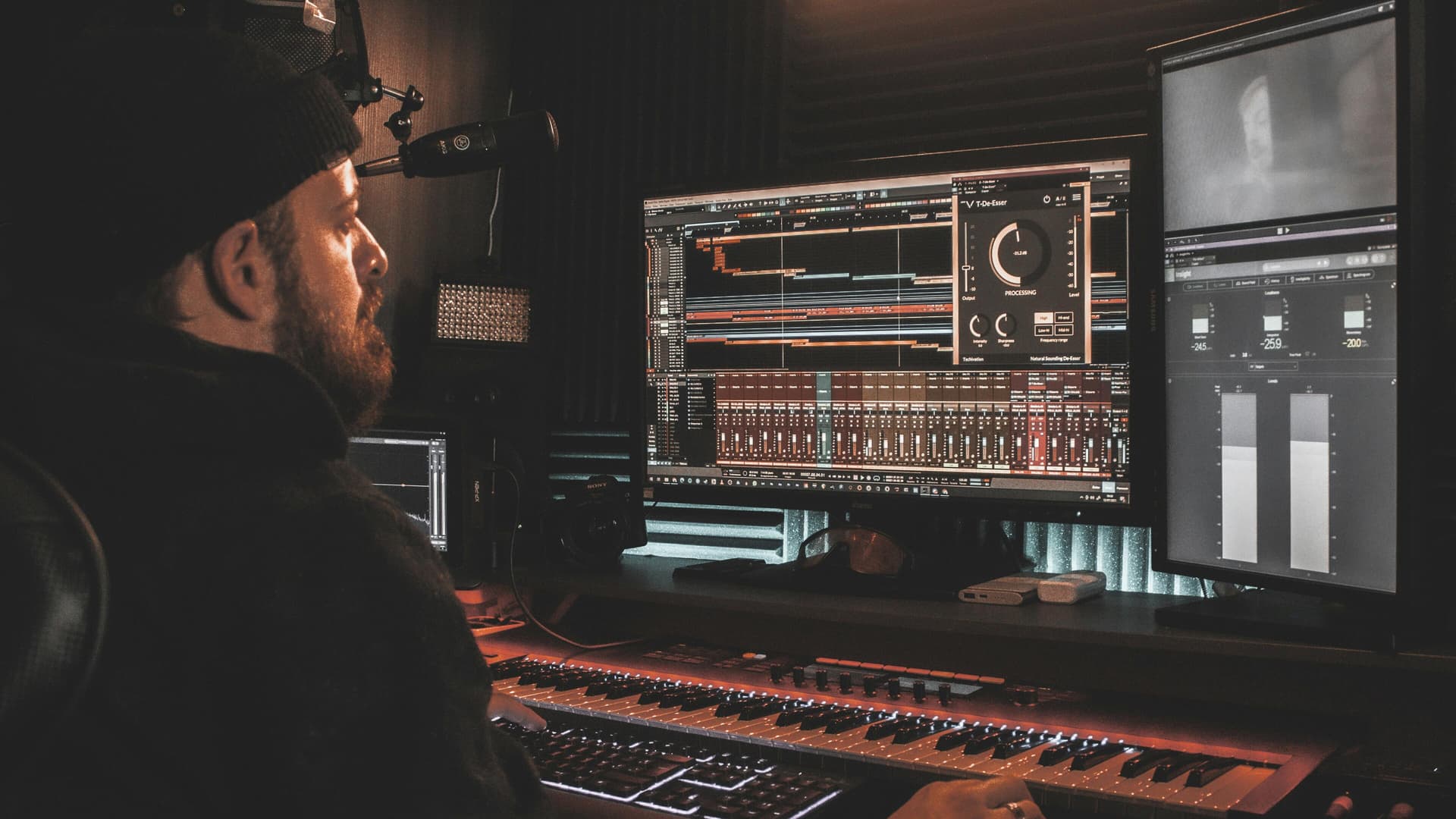
Photos courtesy of Techivation