Introducing Audio Enhancements: Audio Audit Now Fixes What It Finds
 Damian Moore, Published: 19 August 2026
For four years, Audio Audit has told podcasters exactly what’s wrong with their audio — and the most common reply, by far, has been ”great, now fix it for me.” Today we can. Enhancements are live for all users: from any episode report, you can now apply noise reduction, speech levelling (compression), loudness normalisation and clean metadata tagging — in any combination, in a single pass, with no re-upload. When we moved to a credit-based system back in July, we said enhancement tools were the next thing the new billing foundation would unlock, and here it is.
What’s in the Toolbox
There are four enhancements, and you can tick any combination of them:
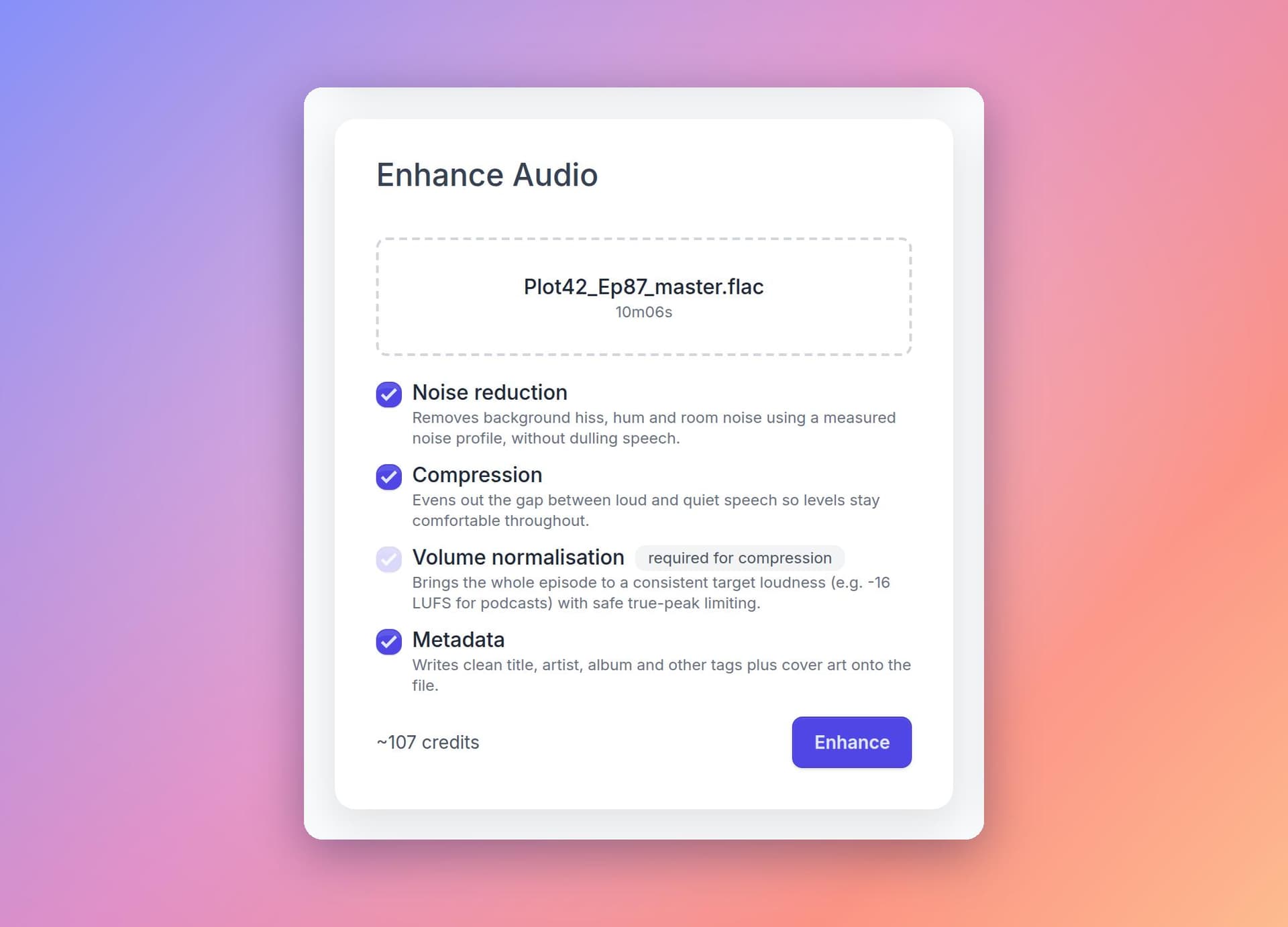
- Noise reduction — removes background hiss, hum and room noise using a noise profile measured from your own recording, without dulling speech.
- Compression — evens out the gap between loud and quiet speech, so listeners in cars, kitchens and trains aren’t reaching for the volume control. It always runs together with volume normalisation, so the levelled episode still lands on its loudness target.
- Volume normalisation — brings the whole episode to a consistent target loudness, with presets for podcast platforms (-16 LUFS, or -19 LUFS for a mono episode, as the AES recommends), YouTube and ACX audiobooks, all with true-peak-safe limiting. Our customers tell us this is the number one thing they are checking in their reports.
- Metadata & cover art — writes clean tags and embedded artwork onto the finished file. If it’s the only thing you select, your audio isn’t re-encoded at all.
However many you choose, they run together as one job on one file — decoded once, processed once at full resolution, encoded once. No compounding quality loss between steps.
How to get started
There are two paths into this tool:
- once a report has completed, pre-configured for the issues that were found
- by uploading directly from the dashboard
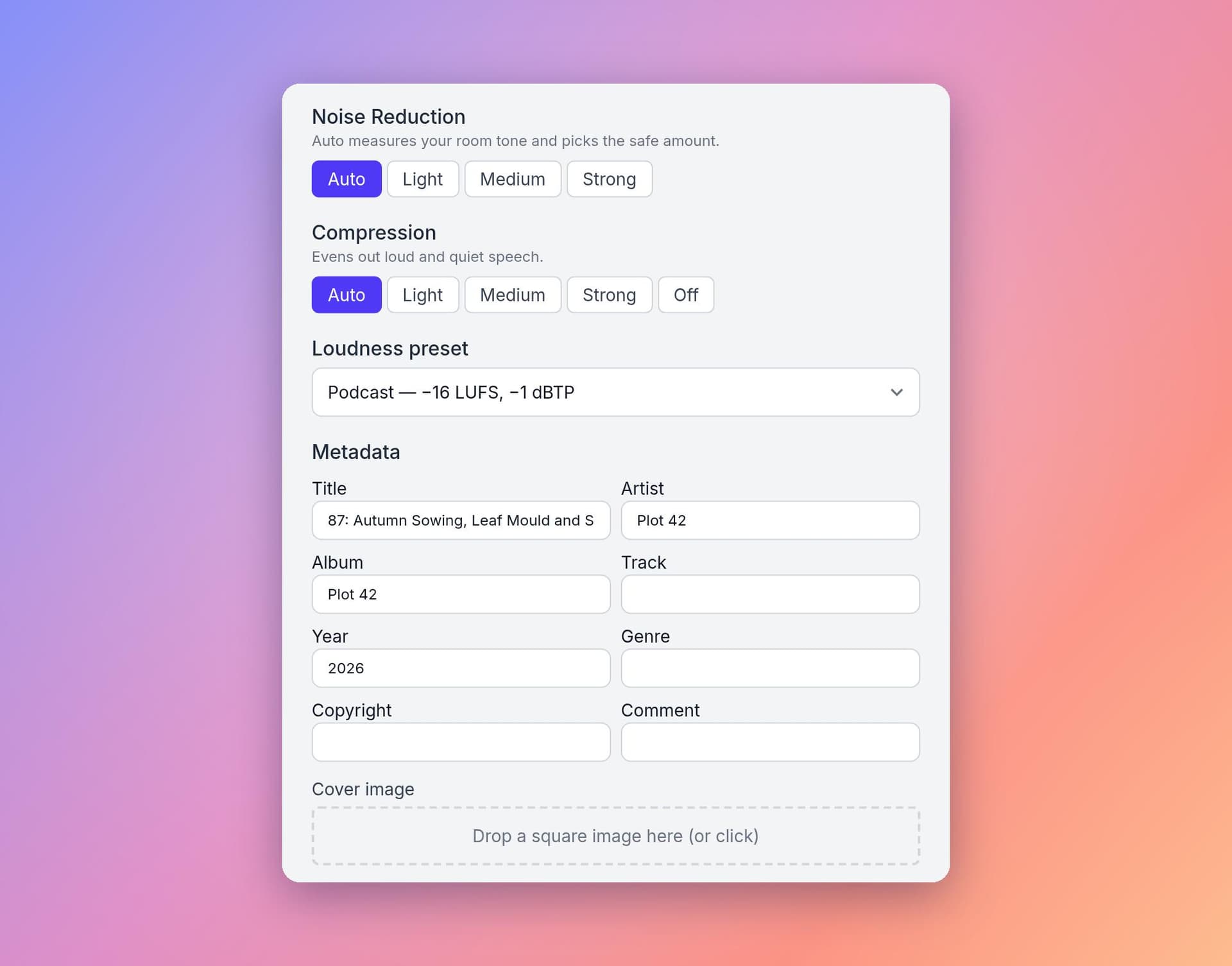
Every completed report now has an ”Enhance this episode” panel, and the enhancements that would fix problems the report actually found come pre-ticked and marked “suggested” — a failed noise check suggests noise reduction, a loudness problem suggests normalisation. Your episode’s existing tags are pre-filled into the metadata fields, so you’re correcting rather than retyping. Analyse, click Enhance, download the fixed file.
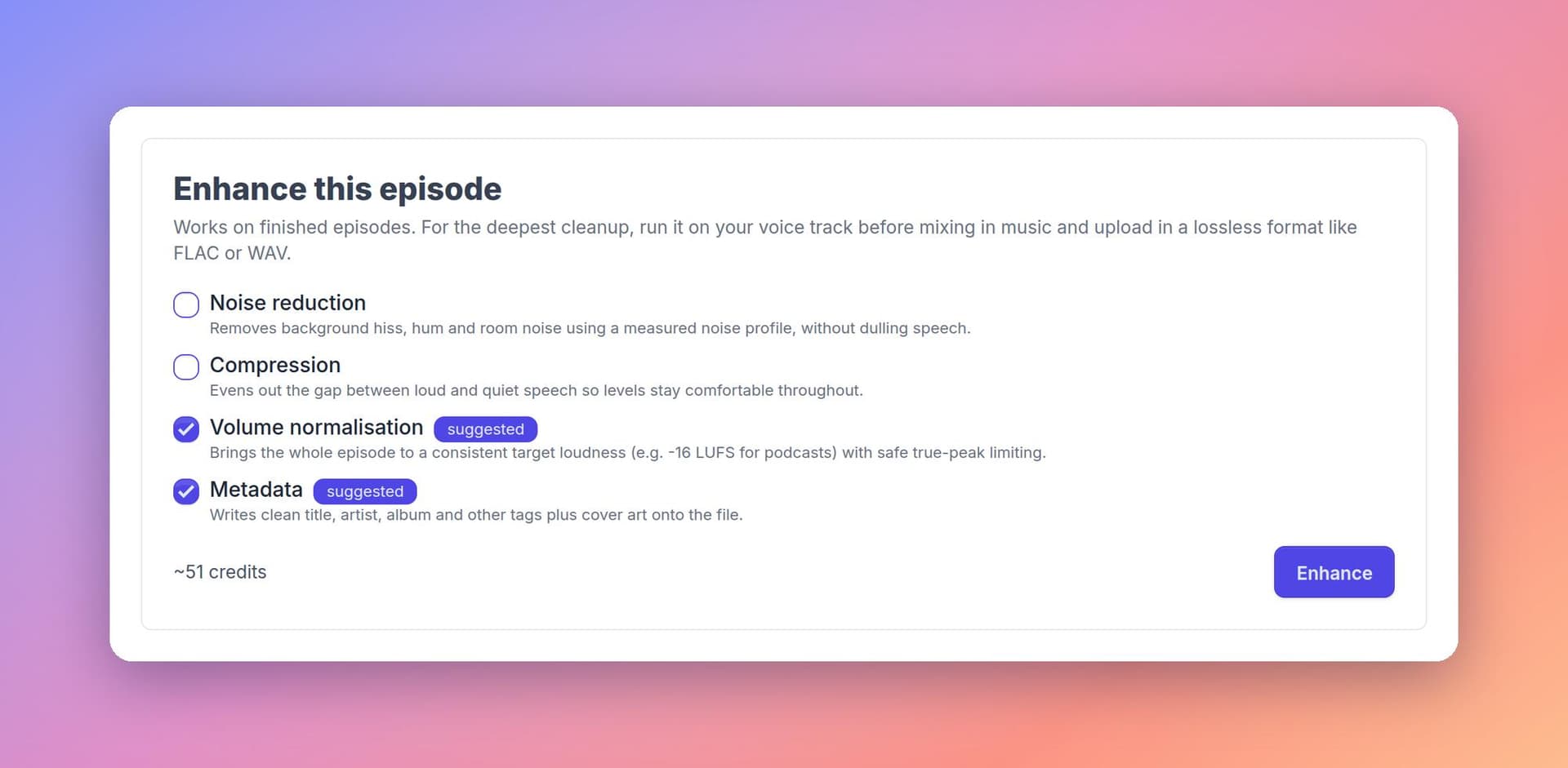
Don’t have a report or want to start from lossless audio files? There’s an ”Enhance Audio” card on your Dashboard that takes a file directly — MP3, M4A, WAV or FLAC.
Measured, Not Guessed
Enhancement is deliberately a simple tool with opinionated defaults, not a mixing suite — but the defaults aren’t textbook numbers applied blind. Every stage measures your recording first:
- Noise reduction builds its profile from your file’s quietest moments, so it removes your room’s particular noise rather than a generic guess — and it’s capped below the point where speech starts to sound processed.
- Compression sets its threshold from your measured speech level, with timings tuned for spoken word.
- Normalisation uses the same two-pass loudness measurement standard as broadcast, applying a single constant gain change that never squashes your dynamics.
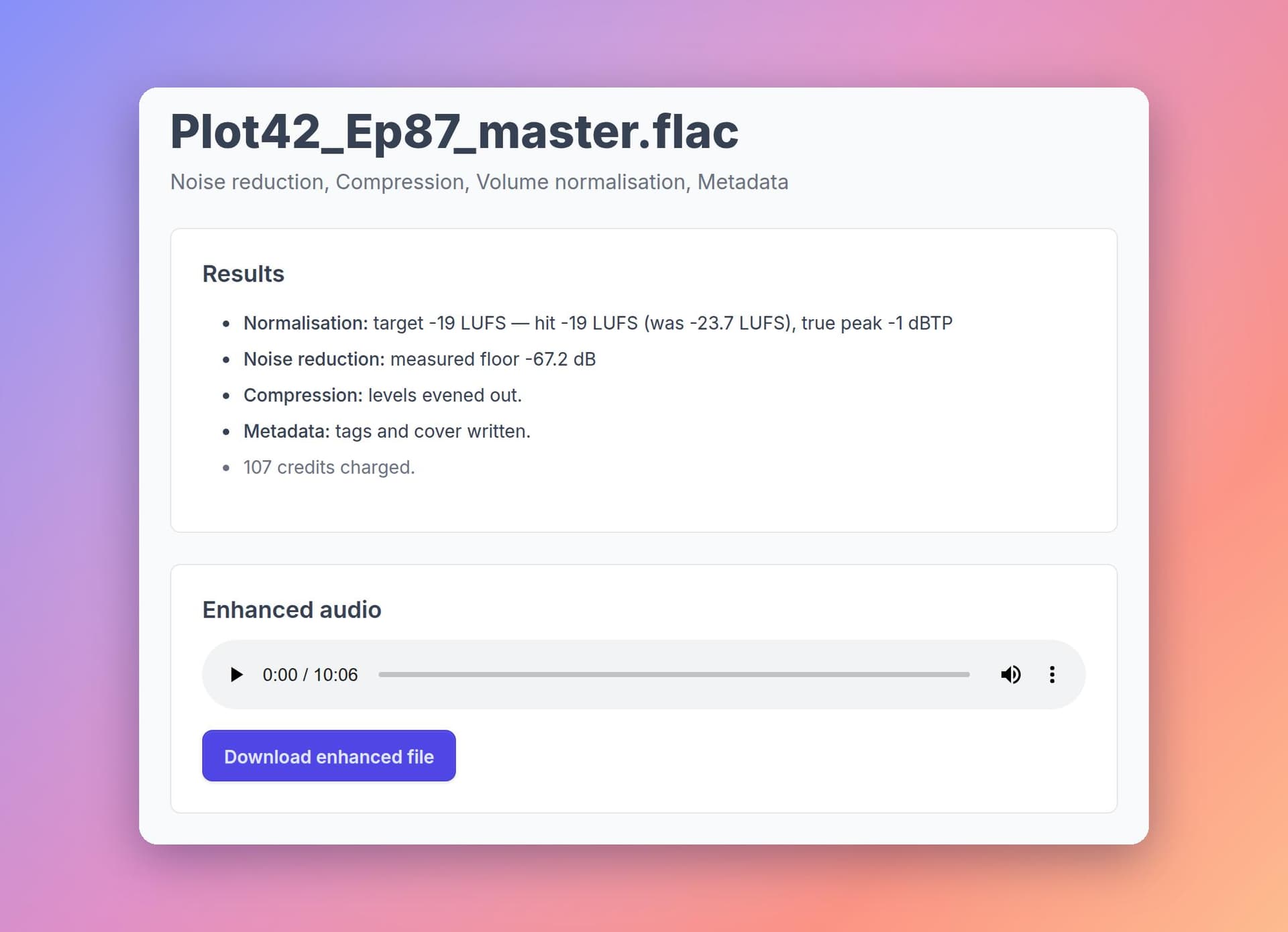
And to be clear about what this is not: there’s no generative AI here. It’s deterministic, measured audio processing — nothing is synthesised, and nobody’s voice is altered. When a job finishes, the results page shows you exactly what was measured and done — loudness before and after, the detected noise floor, the final true peak. Better still, run a fresh report on the enhanced file: the numbers will agree, because they come from the same measurements.
Simple Pricing, No Subscription Needed
Enhancements use the same credits as reports, from the same balance, with the same rules:
- Priced per audio-minute, based only on episode length and which enhancements you tick — strength settings, presets and output formats are all free to change. A full clean-up costs about the same per minute as a full standard analysis.
- You see the price before you commit. The estimate next to the Enhance button uses exactly the same rules as the real charge, and failed jobs are never charged.
- No subscription needed. Thanks to top-up bundles, you can buy a one-off pack of credits — valid for 12 months — and enhance when you need to, without committing to a monthly plan.
Getting the Best Results
Two quick tips from the manual. First, upload lossless if you can — a WAV or FLAC gives the clean-up the best material to work with, though an MP3 still works fine. Second, the deepest clean-up happens before the mix: noise reduction and compression do their best work on a voice track before music is mixed in, and a finished episode can then get a final normalisation-only pass to hit the loudness target. A finished episode still benefits; a raw voice track benefits more.
Analyse, Fix, Verify — in One Place
This release changes what Audio Audit is. It’s no longer just the tool that tells you your episode is too quiet or too noisy — it’s the tool that fixes it. Try it on your next episode and let us know what you think: your feedback on the suggested fixes, the presets and the results will shape where we take enhancement next.
Want the full detail on every option — strengths, loudness presets, output formats, and exactly how the processing chain works? See the Enhancing Audio guide, or head to the Pricing page to see what an enhancement costs for your episode length.
Photo courtesy of Sascha Bosshard
